

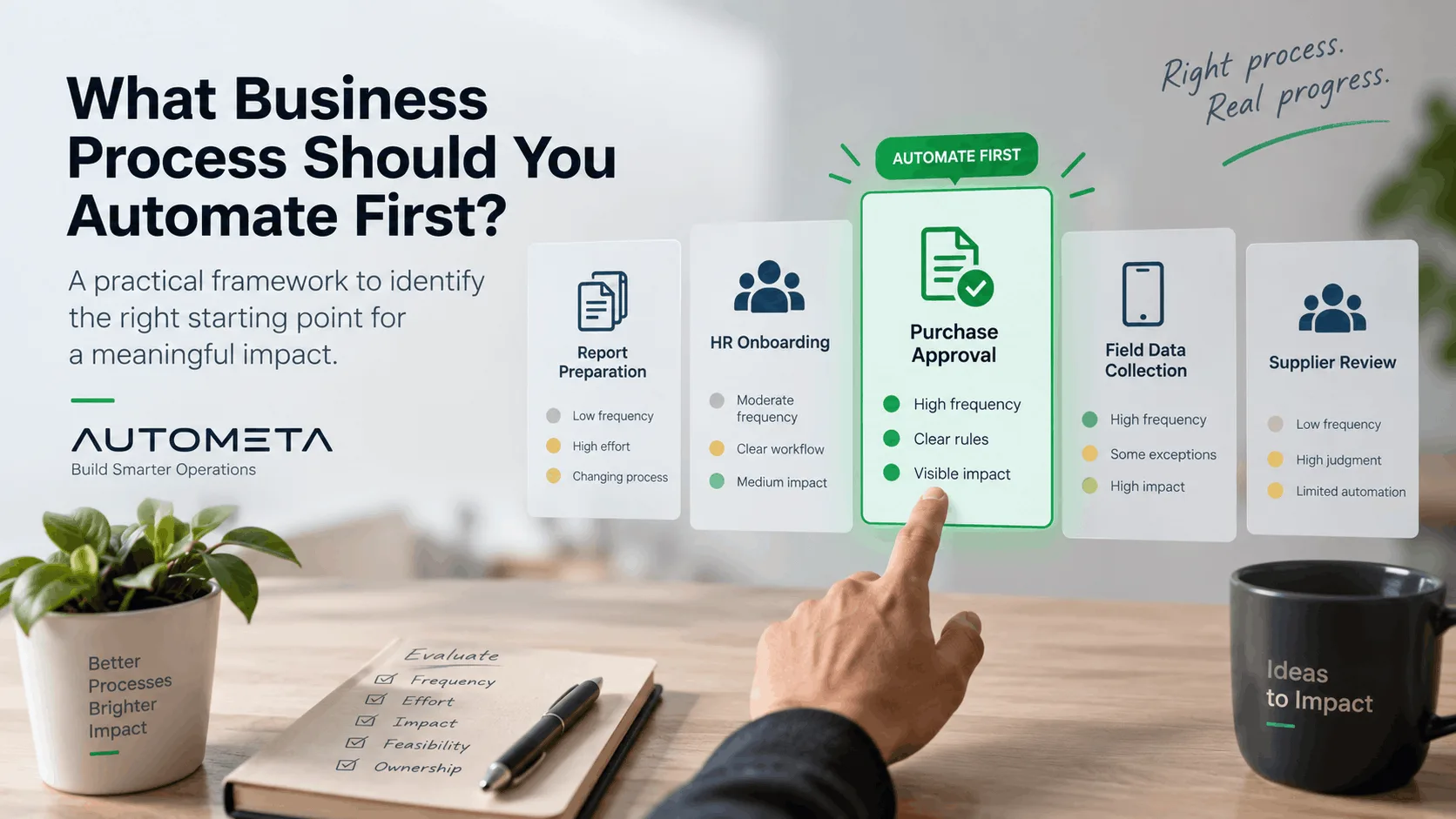
When a business decides to automate, the first questions are usually about technology. Which tool should we buy? Should this be AI? Should we connect the systems we already have? Do we need something built for the operation?
Those questions matter. They come later. The first question is which process is actually worth automating. A good choice produces an improvement people can see, and it teaches the organization how to do the next one. A poor choice spends the budget on a workflow that was unclear, unstable, or too small to matter.
The right first process is rarely the largest or the most impressive. It is usually a repetitive workflow that already has a recognizable path, consumes time every week, and has an outcome you can count.
Start with the work, not the tool
A common pattern is to acquire a platform and then search for something it can do. A team decides it wants AI before it has named the operational problem. Management picks a large process because it sounds strategic. A department automates one copy-and-paste step and leaves the rest of the workflow untouched. The result is an isolated automation, not a better operation.
Before any tool is chosen, the process has to be describable. What starts it? Who touches it? What information is required, and where does that information live today? Which steps repeat? Where do delays and errors actually occur? Which decisions need a person, and what does a finished case look like?
If those answers are unclear, the process is not ready to automate. Automation should improve a workflow you understand. It should not be used to hide one you do not.
What a strong first candidate looks like
There is no single formula, but the processes that repay a first project tend to share the same traits.
It happens often enough to matter. Five minutes is easy to ignore. Five minutes, several times a day, across several people, is a real cost, and it is also enough volume to see whether the new workflow is better. Repeated data entry, approval routing, status notifications, document collection, request assignment, and moving a record from one system to another are typical candidates. Frequency does not make a process suitable. It makes a suitable process worth doing.
The normal path can be described. Real work has exceptions. That is not a reason to wait. The useful distinction is between a recognizable path, with exceptions you can name, and a process in which almost every case is invented on the spot. A purchase request that normally runs from submission to manager review, finance check, approval, and notification can be automated on that path. Large values and unusual suppliers can leave it. A process with no normal path is a redesign problem first.
People are spending their time as the connection between systems. Someone copies an email into a spreadsheet, a spreadsheet into another application, or a download from one system into an upload on another. They re-enter the same customer or project details in three places, then send a routine update when a status changes. The work may be necessary today. It rarely requires judgment. When employees are the integration layer, there is usually a workflow worth examining.
Delay or error has a consequence. Inconvenience is not a project. A stronger candidate is a process in which a missed step makes a customer wait, holds up a purchase, delivers a report late, creates repeated corrections, loses a request, or leaves a compliance step that nobody can verify. The recurring cost is what justifies the work.
The result can be measured, and someone owns the process. Before you automate, you should be able to say what improvement would look like: completion time, manual steps, corrections, overdue cases, follow-ups, backlog, or cost per transaction. A simple baseline is enough. Without it, a system that runs is easy to mistake for an operation that improved. Ownership is separate from building. The owner is the person who can say what should normally happen, what counts as done, which exceptions need attention, who may approve a change, and what happens when the automation cannot continue. Without that person, exceptions sit in a queue nobody is responsible for.
Compare candidates on the same scale
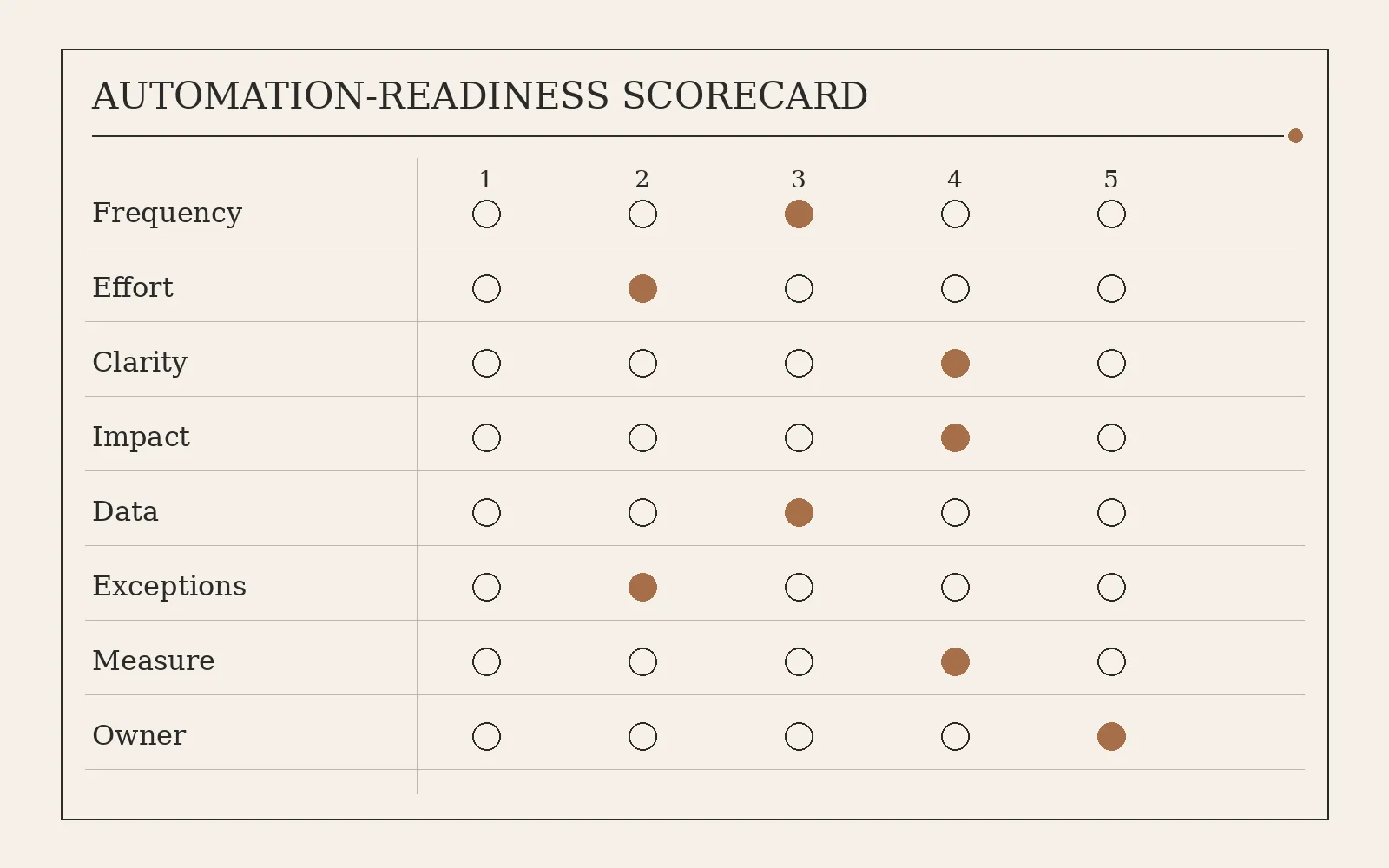
Most organizations have several processes that could be automated. Frustration is a weak way to rank them. Score each candidate from 1 to 5 on the same questions.
Frequency: how often it happens. A workflow that runs hundreds of times a month usually has more value than one that runs twice a year. Manual effort: time spent on the repetitive parts, including checking, chasing, copying, and correcting, not only the visible task. Process clarity: whether the normal steps, inputs, decisions, and outcome can be explained without relying on one person's memory. Error and delay impact: what a slow or wrong case costs in money, service, reporting, or compliance. Data readiness: whether the information is already digital and consistent, or still depends on handwritten notes and private spreadsheets. Exception level: known exceptions are manageable; a process in which nearly every case is unique is a poor first project. Measurability: whether you can compare before and after. Ownership: whether a named person or team can make the rules and resolve what the workflow cannot.
A high score is not an instruction to automate the whole process. It is a reason to prefer that candidate over a louder one.
Three processes, one choice
An organization is considering three.
Monthly management reporting takes several days, pulls figures from different teams, and creates repeated reconciliation. It happens once a month, and the reporting logic is still changing. Purchase-request approval happens many times a week. The path is mostly clear, requests stall, and staff chase them by message. Annual supplier review matters, but it happens once a year and depends on management judgment.
The supplier review is a weak first project. It is infrequent, and the valuable part is the judgment. The management report may be worth doing later, but automating it now would lock an unstable method into software. The purchase request is the stronger start: frequent, describable, measurable, and tied to a delay people already feel. The lesson is not that approval workflows should always come first. Priority should follow the characteristics of the process, not how strategic the project sounds.
Do not automate the loudest complaint
The process people complain about most is often painful for reasons software will not fix. The policy is unclear. Teams follow different rules. Nobody owns the workflow. Required information is missing. The steps change every few weeks. Cases have accumulated handoffs that no longer serve a decision. Most items need individual judgment.
Automating that process makes the problem faster. The prior step is to simplify, standardize, or redesign it. Once the normal path and the exceptions are explicit, automation is easier to build and easier to keep.
Some work should stay with a person, at least at the start. Negotiation, sensitive judgment, unusual circumstances, and high-consequence decisions with unsettled rules are poor places to remove the human. Automation can still support them: gather the file, prepare the comparison, notify the owner, record the decision. The aim is to remove unnecessary manual work, not to remove responsibility.
Look at the workflow, not the keystroke
Copying a form into a spreadsheet is an obvious task to automate. It may also be the wrong boundary. The full path might be: a customer submits a request, an employee reviews it, the details go into a spreadsheet, a manager approves, another employee re-enters them into the business system, and the customer receives an update. Automating the copy leaves most of that path in place. The better question is why the spreadsheet is in the path at all.
That is the difference between a shortcut and an operational change. A first project can be small. It should still cover a complete loop: a defined start, a defined finish, and the handoffs in between.
Start small enough to learn, and measure both sides
The first automation does not need to change the department. It needs boundaries you can explain, enough volume to matter, a baseline, manageable risk, and users who will say when the new path is wrong. A controlled project returns more than one working workflow. It shows how this organization designs, owns, and expands automation.
Record the current operation before you build. Average completion time, manual steps, monthly volume, corrections, follow-ups, staff time, backlog. Measure the same things after the new workflow has run long enough to be a fair comparison. Do not stop at whether the software runs. An automation that works technically and adds new checks, or moves the bottleneck one step downstream, has not improved the operation.
The useful first project also makes the next one easier. Clearer ownership, cleaner inputs, a visible queue, or a reliable connection between two systems is a foundation. Another isolated tool, maintained beside the work, is not.
A practical checklist
Before you commit, the answers should be plain. Does this happen often enough to matter? Is a meaningful share of the time repetitive? Can we describe the normal path, the inputs, and the output? Can we name the common exceptions? Do delays or mistakes create a real problem? Can we measure current performance? Is there an owner? Can we automate the repetitive station without removing a judgment that still belongs to a person? Will improving this loop make another operation easier later?
Yes to most of those is a strong candidate. Unclear answers do not mean the process can never be automated. They mean there is process work to do first.
The first process to automate is not the largest, the most frustrating, or the most technically interesting. Look for one that is frequent, repetitive, stable enough to describe, clearly owned, and important enough that a better version will be visible. Understand it, simplify it where the steps no longer earn their place, then decide what the system may do, what a person still decides, and how you will know the operation improved.
Sources
Diogo Farinha, Ruben Pereira, and Rafael Almeida, "A framework to support robotic process automation," Journal of Information Technology, 2024. https://doi.org/10.1177/02683962231165066
Mathias Eggert and Tobias Moulen, "Selektion von Geschaftsprozessen zur Anwendung von Robotic Process Automation am Beispiel einer Versicherung," HMD Praxis der Wirtschaftsinformatik, 2020. Interviews with insurance RPA specialists put rule-based control, reduced manual load, and a positive cost-benefit comparison at the top of the selection list. https://doi.org/10.1365/s40702-020-00665-0